Introduction
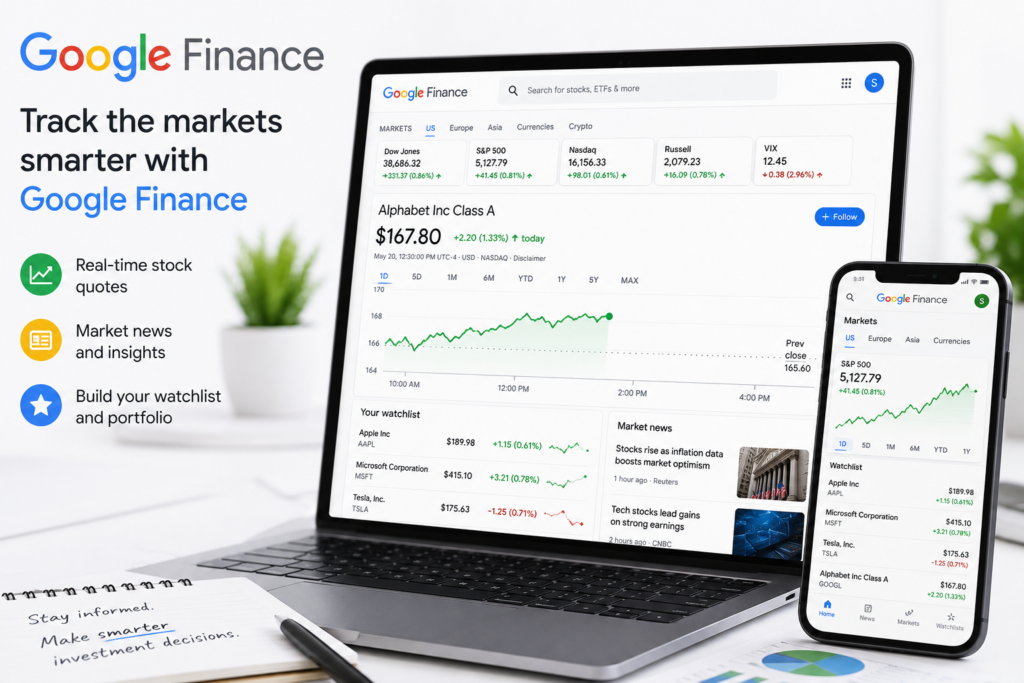
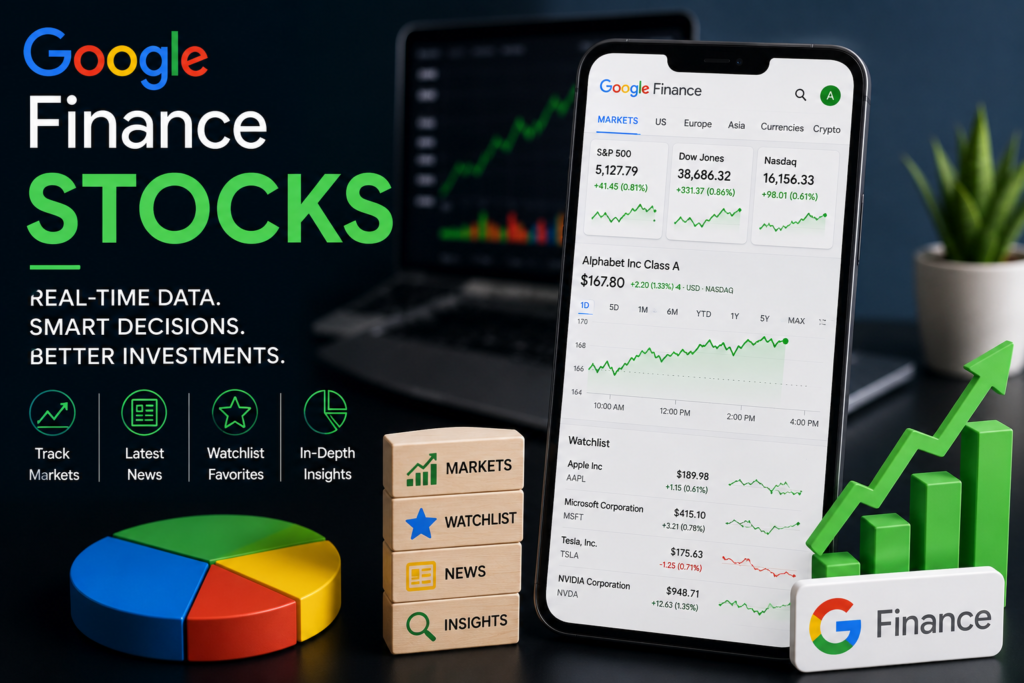
If you’ve ever typed a company name into Google and seen a live price chart pop up, you’ve already used Google Finance stocks. This free tool lets anyone track stock prices, follow market news, build personalized watchlists, and research companies without needing a brokerage account or paid subscription.
This guide explains exactly how Google Finance stocks work, what features they offer, how they compare to other tracking tools, and how you can use them to make smarter, more informed investing decisions. By the end, you’ll know everything you need to use Google Finance confidently — no other resource required.
What Are Google Finance Stocks?
Google Finance stocks refers to the stock market data, charts, and company information available through Google’s free finance platform at finance.google.com, as well as the stock snapshots that appear directly in Google Search results.
When you search a ticker symbol or company name, Google displays:
- Real-time or slightly delayed stock prices
- Daily percentage change (gains or losses)
- Interactive historical price charts
- Key statistics like market cap, P/E ratio, and dividend yield
- Related news articles
- Comparable companies in the same sector
How Google Finance Stocks Differ from a Brokerage Platform
Unlike a brokerage account, Google Finance stocks data is purely informational. You can track prices and research companies, but you cannot buy or sell shares directly through Google Finance — you’ll need a linked brokerage account for actual trading.
How Google Finance Stocks Work
1. Search-Based Stock Snapshots
Typing a company name or ticker (like “AAPL stock” or “Tesla stock price”) into Google triggers an automatic finance card showing Google Finance stocks data instantly, without needing to visit a separate website.
2. The Google Finance Website
Visiting finance.google.com gives you a dashboard-style view with:
- A search bar for looking up any public company
- A market summary of major indices (S&P 500, Dow Jones, Nasdaq)
- Trending stocks based on search interest
- A personalized watchlist if you’re signed into a Google account
3. Watchlists
One of the most useful features of Google Finance stocks is the ability to create a free watchlist. Simply sign in with your Google account, search for a stock, and click “Follow” to add it. Your watchlist updates automatically with live price movements.
4. Portfolio Tracking (Legacy Feature)
Google previously offered a full portfolio-tracking feature within Google Finance, though this has been scaled back over the years in favor of the simpler watchlist and search-card experience. Always check the current site, since Google periodically updates available features.
Key Features Comparison: Google Finance vs. Other Free Tools
| Feature | Google Finance Stocks | Yahoo Finance | Brokerage App (e.g., Fidelity) |
|---|---|---|---|
| Real-time price data | Delayed (15–20 min typical) | Delayed (15–20 min typical) | Often real-time for account holders |
| Cost | Free | Free | Free with account |
| Watchlists | Yes | Yes | Yes |
| Buying/selling stocks | No | No | Yes |
| News integration | Yes | Yes | Varies |
| Historical charts | Yes | Yes, more detailed | Yes |
| Portfolio analytics | Limited | More detailed | Full analytics |
Benefits of Using Google Finance Stocks
- Completely free with no account required for basic lookups
- Instant access directly from Google Search results
- Simple, clean interface that’s beginner-friendly
- No login needed for basic price checks
- Integrated news helps you understand why a stock moved
- Cross-device syncing of your watchlist when signed into your Google account
Drawbacks and Limitations
- Delayed data (typically 15–20 minutes), not suitable for active day trading
- No trade execution — you can’t buy or sell stocks directly
- Limited fundamental analysis tools compared to dedicated platforms
- Fewer customization options than professional charting software
- Reduced portfolio features compared to earlier versions of the product
Who Should Use Google Finance Stocks?
Google Finance stocks tools are best suited for:
- Beginner investors who want a simple way to check prices and headlines
- Casual followers of the market who don’t need real-time execution
- Students and researchers studying company fundamentals
- Long-term investors who check prices occasionally rather than constantly
- Anyone comparing multiple stocks quickly without switching apps
Active day traders and professional investors typically need a dedicated brokerage platform with real-time data and trade execution, making Google Finance stocks more of a complementary research tool than a primary trading platform.

Step-by-Step: How to Track Stocks with Google Finance
- Open your browser and go to finance.google.com, or simply search a ticker symbol on Google
- Sign in with your Google account to enable saved watchlists
- Search a company by name or ticker symbol (e.g., “MSFT” or “Microsoft”)
- Click “Follow” on the stock’s page to add it to your watchlist
- Review the chart to see historical performance across different time ranges (1 day, 5 days, 1 month, YTD, 5 years, max)
- Check the “Compare” feature to see how a stock performs against competitors or an index
- Read related news displayed alongside the stock to understand recent price movements
Real-World Example
Suppose you’re researching a company before deciding whether to invest through your brokerage account. You search the company name, and the Google Finance stocks card immediately shows its current price, daily change, and a chart of its performance over the past year. Scrolling down, you see recent news headlines explaining a recent price jump — perhaps an earnings report or product announcement. This gives you quick context before doing deeper research or placing a trade elsewhere.
Expert Tips for Using Google Finance Stocks Effectively
- Use it for quick research, not execution — pair it with your brokerage app for actual trades
- Build a watchlist of stocks you’re considering, even before you’re ready to invest
- Cross-check data with your brokerage’s real-time feed before making time-sensitive decisions
- Use the “Compare” tool to benchmark a stock against its sector or an index like the S&P 500
- Read the linked news articles, not just the price, to understand the full story behind a move
- Don’t rely solely on delayed data for short-term trading strategies
Common Mistakes to Avoid
- Assuming Google Finance stocks prices are real-time when they’re typically delayed
- Trying to execute trades directly through Google Finance (not supported)
- Ignoring the news and context behind price movements
- Not signing in, which means losing your saved watchlist between sessions
- Relying only on Google Finance for deep fundamental analysis without cross-referencing other sources
Frequently Asked Questions
1. Is Google Finance stocks data real-time?
No, Google Finance stock prices are typically delayed by 15 to 20 minutes for most exchanges, similar to other free financial data platforms.
2. Can I buy stocks directly through Google Finance?
No, Google Finance is an informational tool only. You’ll need a brokerage account to actually buy or sell shares.
3. Is Google Finance free to use?
Yes, Google Finance stocks data, watchlists, and charts are completely free and don’t require a paid subscription.
4. Do I need a Google account to use Google Finance?
You can view stock data without signing in, but you’ll need a Google account to save a personalized watchlist across devices.
5. How accurate is Google Finance compared to my brokerage app?
Google Finance data is generally accurate but delayed, whereas many brokerage apps provide real-time pricing for account holders, which can matter for time-sensitive trades.
6. Can I track international stocks on Google Finance?
Yes, Google Finance supports many international exchanges, allowing you to search and follow stocks listed outside the U.S.
7. Does Google Finance show cryptocurrency prices too?
Yes, in addition to stocks, Google Finance also displays pricing information for major cryptocurrencies and some other asset types.
8. Is Google Finance a good tool for beginner investors?
Yes, its simple interface, free access, and integrated news make it a helpful starting point for beginners researching companies before investing.
Conclusion
Google Finance stocks offer a fast, free, and beginner-friendly way to track prices, follow market news, and research companies directly from your browser or search bar. While it won’t replace a full brokerage platform for executing trades or performing deep fundamental analysis, it’s an excellent complementary tool for building watchlists, checking prices on the go, and understanding the news behind market movements. Pairing Google Finance with your brokerage account’s real-time data gives you a well-rounded, informed approach to following the stock market.