If you’re looking for the Bank of Scotland business login, you probably want a quick and straightforward way to access your business banking account.
Bank of Scotland provides online banking services that allow business customers to manage accounts, check transactions, make payments and carry out other everyday banking tasks online.
However, logging in for the first time can sometimes be confusing, particularly if you are unsure whether you need Business Internet Banking, the mobile app or additional security information.
This guide explains how the login process works, what you may need, what to do if you cannot sign in and how to keep your business banking information secure.
Important: Never share your password, memorable information, card details or security codes with another person. If you believe your banking details have been compromised, contact Bank of Scotland through its official support channels.
What Is Bank of Scotland Business Banking?
Bank of Scotland offers banking services designed for businesses of different sizes.
Depending on your account and business needs, you may be able to manage your finances through online banking or mobile banking.
Online banking can help you do everyday tasks such as:
- Check your account balance
- View transactions
- Make payments
- Transfer money
- Manage certain account details
- Review statements
- Manage business finances online
The exact services available can depend on your account type and the online banking service you’re registered for.
How to Access Bank of Scotland Business Login
If you’re already registered for Business Internet Banking, the process is generally straightforward.
Step 1: Go to the Official Website
Start from the official Bank of Scotland website rather than clicking a login link in an unexpected email or text message.
Look for the business banking or Business Internet Banking section.
This is an important security step because fake banking websites can look very similar to genuine websites.
Step 2: Select Business Internet Banking
Choose the appropriate business banking login option.
Bank of Scotland provides separate online services for different types of business customers, so make sure you’re using the service connected to your account.
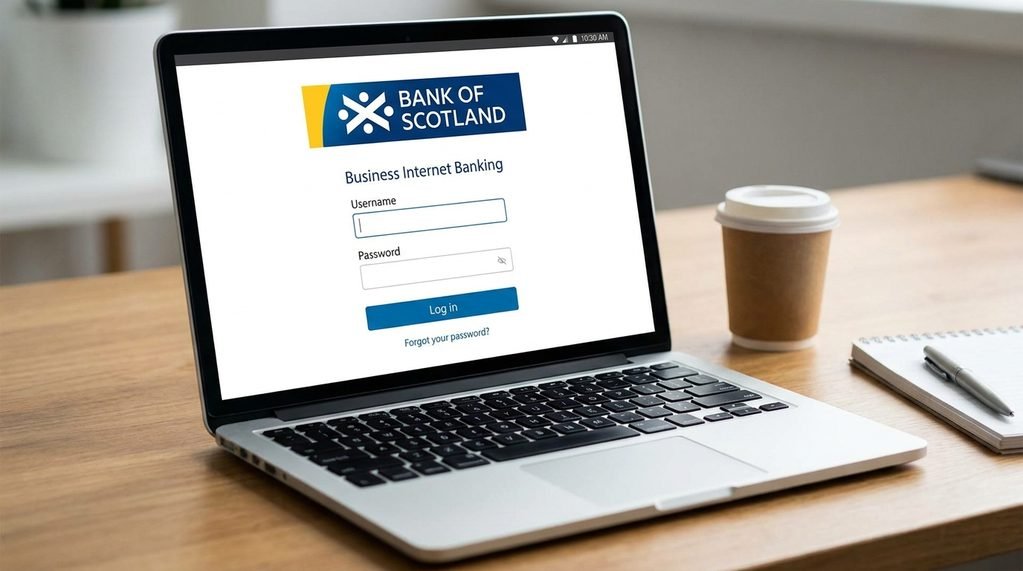
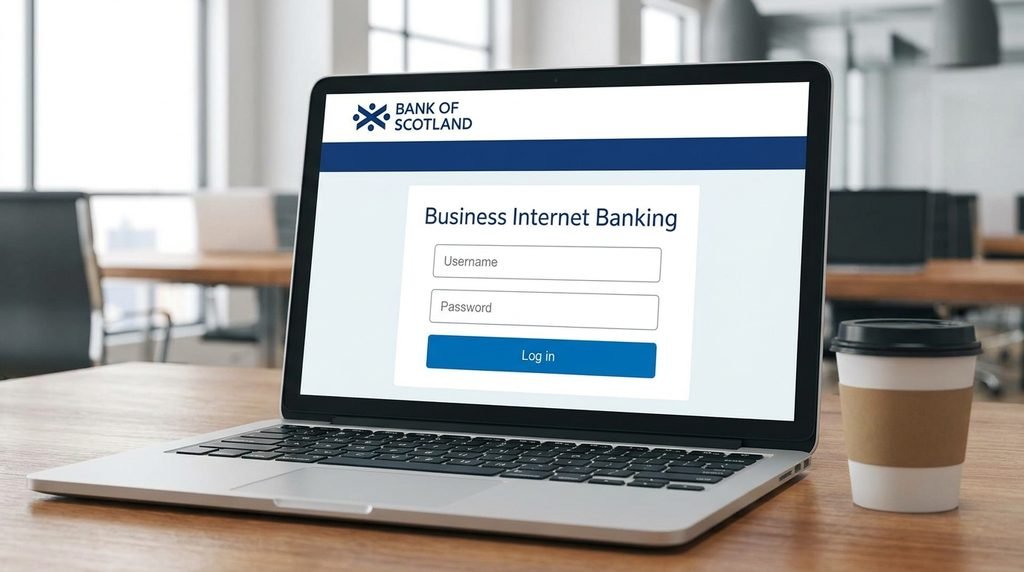
Step 3: Enter Your Login Information
You may need information such as your:
- Username
- Password
- Memorable information
Enter the requested details carefully.
Avoid saving banking passwords on shared or public computers.
Step 4: Complete Any Security Check
Depending on what you’re doing, additional security verification may be required.
For some Business Internet Banking activities, Bank of Scotland may use additional security measures, including a card reader.
Step 5: Access Your Account
After the security checks are completed, you should be able to access your business banking account and use the services available to you.
If the login doesn’t work, don’t repeatedly guess your details.
Instead, use the official help options provided by the bank.
What Do You Need to Log In?
The exact information required can depend on your online banking service.
For Business Internet Banking, customers may need their registered login information and security details.
This can include:
Username → Password → Memorable information → Additional security check
Not every login or transaction will necessarily require exactly the same process.
The bank may request additional verification depending on the action you’re trying to complete.
What If You Are Logging In for the First Time?
First-time access can be different from a normal login.
If your business has recently opened an account or you’ve been added as a new user, you may need to complete registration or activation steps before you can use online banking.
The bank may provide information explaining how to set up your access.
If you’re unsure what to do, use Bank of Scotland’s official business banking support rather than following instructions from an unofficial website.
What If You Forgot Your Login Details?
Forgetting your password or other login information can happen.
The safest approach is to use the official recovery or support process.
Don’t:
- Guess your password repeatedly
- Give your details to someone claiming to be “bank support”
- Send your password by email
- Use a third-party website to recover your account
If you cannot recover your access through the normal process, contact Bank of Scotland using a trusted official contact method.
What If Your Online Banking Is Locked?
Your access may be restricted if there have been too many unsuccessful login attempts or if the bank detects unusual activity.
If this happens, don’t keep trying random passwords.
Instead:
1. Stop Attempting to Log In
Repeated failed attempts may make the situation more difficult.
2. Check the Official Help Information
Look for the relevant login or security support information on the Bank of Scotland website.
3. Follow the Recovery Instructions
The bank may provide a process for restoring access.
4. Contact the Bank if Necessary
If you’re unable to restore access yourself, use the bank’s official business banking support.
Do You Need a Card Reader?
Some business banking activities can require additional security verification.
A card reader may be used as part of the security process for certain transactions or actions.
If your account requires one, follow the instructions displayed by Bank of Scotland during the transaction.
A card reader is designed to provide an additional layer of authentication.
However, you should never use a card reader because someone unexpectedly calls or messages you and tells you to do so.
If something feels unusual, stop and verify the request through an official Bank of Scotland contact method.
Bank of Scotland Business Banking App
Depending on your account and service, mobile banking can make it easier to manage your finances while you’re away from your computer.
A business banking app may allow you to perform tasks such as:
- Check balances
- Review transactions
- Manage payments
- Monitor business finances
- Receive notifications
Before installing an app, make sure you download it from the official Apple App Store or Google Play Store and check that it is the genuine Bank of Scotland application.
Online Banking vs Mobile Banking
Both options can be useful, but they serve slightly different purposes.
| Feature | Online Banking | Mobile Banking |
|---|---|---|
| Computer access | Yes | No |
| Smartphone access | Browser | App |
| Check balances | Yes | Yes |
| View transactions | Yes | Yes |
| Make payments | Depending on service | Depending on service |
| Larger screen | Yes | No |
| Convenient while travelling | Good | Very good |
The features available to you depend on your specific business banking service.
What If the Login Page Isn’t Working?
Sometimes the problem isn’t your account.
It could be a technical issue.
If you cannot access the login page, try these basic steps.
Step 1: Check Your Internet Connection
Make sure your internet connection is working properly.
Step 2: Try Again Later
Temporary technical issues can sometimes affect online services.
Step 3: Use an Updated Browser
Make sure your browser is updated.
Step 4: Try a Different Device
If possible, try accessing the service from another trusted device.
Step 5: Check Official Service Information
If there is a wider service problem, the bank may provide information through its official channels.
Should You Use Public Wi-Fi for Business Banking?
It’s better to avoid accessing sensitive business banking accounts through unsecured public Wi-Fi.
For example, be careful when using:
- Airport Wi-Fi
- Hotel Wi-Fi
- Coffee-shop networks
- Public computers
If you urgently need to access your account while travelling, use a trusted connection whenever possible.
How to Keep Your Business Banking Secure
Business accounts can contain significant amounts of money, so security should be taken seriously.
1. Use a Strong Password
Avoid easy-to-guess information such as:
- Your business name
- Your birthday
- Your phone number
- Simple number sequences
2. Never Share Your Security Information
Your password and security details should remain private.
Bank staff should not ask you to reveal sensitive login credentials through an unexpected message.
3. Watch Out for Phishing
Phishing messages are designed to trick you into providing confidential information.
A fraudulent message might say:
“Your business account has been suspended. Click here to restore access.”
Don’t automatically trust such messages.
Instead, open your browser yourself and visit the official bank website.
4. Check the Website Address
Before entering banking information, make sure you’re on the legitimate Bank of Scotland website.
Don’t rely solely on a logo or page design because scammers can copy them.
5. Keep Your Devices Updated
Install security updates for:
- Operating systems
- Browsers
- Banking apps
- Security software
Updates can fix known security vulnerabilities.
6. Log Out When Finished
If you’re using a shared or work computer, always log out after completing your banking session.
How to Recognise a Fake Bank Login Page
Fake banking websites can be surprisingly convincing.
Look out for warning signs such as:
- Strange website addresses
- Spelling mistakes
- Unexpected pop-ups
- Urgent messages demanding immediate action
- Requests for unusual security information
- Links sent through unexpected emails or text messages
One of the biggest warning signs is pressure.
Scammers often try to make you panic so you act without thinking.
If a message says your account will be closed within minutes unless you click a link, stop and verify it independently.
What Should You Do If You Think You’ve Been Scammed?
If you believe you’ve entered your banking details into a fraudulent website or given information to a scammer, act quickly.
Step 1: Stop Communicating With the Scammer
Don’t continue the conversation.
Step 2: Contact Your Bank
Use an official Bank of Scotland contact method.
Explain what happened and follow the bank’s instructions.
Step 3: Change Compromised Credentials
If you’ve exposed a password, change it using the official banking service.
Step 4: Monitor Your Account
Check transactions carefully for anything you don’t recognise.
Step 5: Keep Evidence
Save suspicious messages, emails or transaction details if they may help the bank investigate.
Bank of Scotland Business Login: Common Problems
Here are some common issues customers may experience.
Wrong Password
Check that you’re using the correct login details and follow the official recovery process if you’ve forgotten them.
Forgotten Username
Use the bank’s official help process rather than asking another person for assistance.
Memorable Information Not Accepted
Check that you’re entering the requested information correctly.
If it still doesn’t work, use official support.
Card Reader Problem
If your transaction requires a card reader and it’s not working, follow Bank of Scotland’s official troubleshooting instructions.
Account Locked
Don’t repeatedly try different passwords.
Use the bank’s account-recovery or support process.
Website Not Loading
Check your connection, browser and device. If the problem continues, check whether the bank has reported a service issue.
Business Internet Banking vs Commercial Banking
It’s important to understand that not every business customer uses exactly the same online banking platform.
The service available to you may depend on:
- Business size
- Account type
- Banking arrangement
- Number of users
- Business requirements
If you’re unsure which service you should use, check your account documentation or contact Bank of Scotland directly.
Don’t enter your details into a login page simply because it appears in a search result.
Frequently Asked Questions
How do I access Bank of Scotland business banking?
Go to the official Bank of Scotland website and select the appropriate business banking service. Use your registered credentials and complete any required security checks.
What do I need for Bank of Scotland Business Internet Banking?
Depending on the service and transaction, you may need your username, password, memorable information and additional security verification.
What if I forget my business banking password?
Use the official password recovery or support process provided by Bank of Scotland. Avoid using third-party websites.
Can I use my phone to manage my business account?
Depending on your account and service, you may be able to use mobile banking to manage your business finances.
Why can’t I log in to my business account?
Possible reasons include incorrect credentials, a locked account, technical problems, browser issues or additional security requirements.
Is Bank of Scotland business banking safe?
Online banking uses security measures to help protect customers, but customers also need to protect their passwords, devices and security information.
Can I access business banking from a public computer?
It’s better to avoid using public computers for sensitive banking activities. Use a trusted personal or business device whenever possible.
Final Thoughts
The Bank of Scotland business login process is designed to give business customers secure access to their accounts and online banking services.
For most users, the important steps are straightforward: visit the official website, choose the correct business banking service, enter your registered information and complete any additional security checks requested.
If something goes wrong, don’t panic.
Whether you’ve forgotten your password, your account has been locked or the website isn’t working, use the bank’s official recovery and support options rather than relying on unofficial websites or people contacting you unexpectedly.
Most importantly, treat business banking security seriously.
Use strong passwords, avoid suspicious links, keep your devices updated and never share confidential banking information with anyone.
A few extra seconds spent checking that you’re on the genuine Bank of Scotland website can help protect your business account from unnecessary risk.